
I run my own server at home, and host my site on it. The WHS software provides a subdomain on the homeserver.com domain. Browsing this domain from within my network has always caused problems – essentially, my browser ends up showing me my router’s configuration page.
Why is this happening? Because DNS lookup of my domain returns my public IP, which takes me to my router. If I were outside of my network looking in, my router would happily forward port 80 requests to the private IP address of my server. But without proper configuration, port forwarding only works for packets coming into my network. Packets originating inside my network don’t get processed by port forwarding rules, thus leaving me at my router’s configuration page.
The workaround for this problem is an easy one – I simply edit my computer’s hosts file (Windows 7 hides this file at C:\Windows\System32\drivers\etc\hosts) and add an entry for my homeserver.com subdomain with the private IP address of my server. While a bit hack-ish, this was a perfectly suitable solution for me – up until now.
With the introduction of jkshay.com (and it’s corresponding mail server), I needed a real fix. You see, my Android powered smartphone was unable to retrieve e-mail from jkshay.com while I was connected to my home network. Of course, I could simply disconnect from my wireless network, but I didn’t want to have to do that just to check my e-mail. If I rooted my phone, I could probably perform the same hack on the hosts file – but my phone isn’t rooted. I needed a way to be able to access jkshay.com from within my network without editing a hosts file.

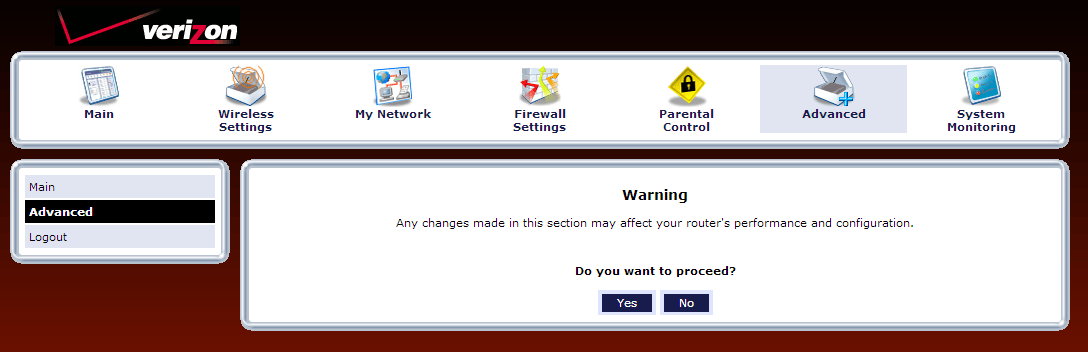 Poking around my router’s interface, I searched for DNS settings. I found what I needed under the Advanced section.
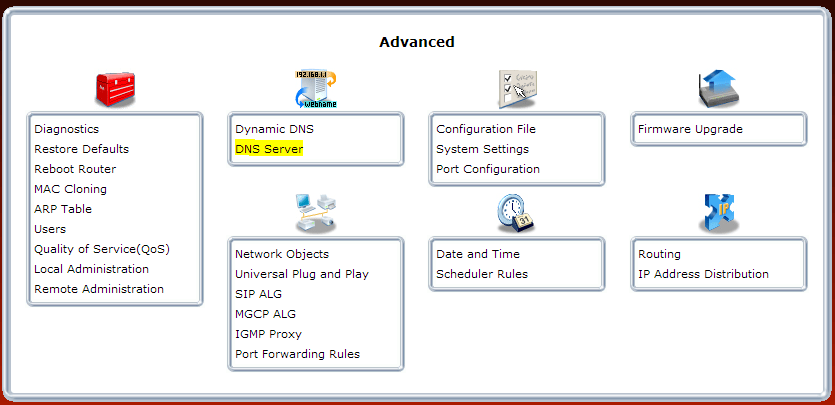
After confirming that I wanted to proceed, I clicked the DNS Server section,..
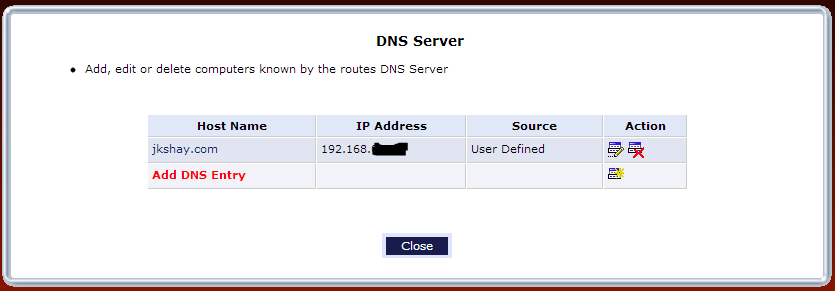
and added an entry for jkshay.com pointing to my router’s private IP address.
I saved my changes, ensured that my computer was receiving its DNS settings from the router, removed my hosts file entry, and voila! – I could now browse to jkshay.com from within my network successfully!
A quick check of my mail on my smartphone confirmed that I had successfully configured NAT loopback on my FiOS router.
My brother recommended I would possibly like this blog. This post actually made my day. You can not believe just how so much time I had spent for this information! Thank you!
Hi, Jay,
I have a problem with NAT Loopback so your article at https://jkshay-kcxfw.wpcomstaging.com/configuring-verizon-fios-router-for-nat-loopback/
was very interesting. Can you tell me what model router this article applies to? My router is an Actiontec GT784WNV and I cannot find the screens that allow me to add a DNS entry to solve the loopback issue.
Howard-
My router is the Actiontec MI424WR-GEN2, rev F. I’ve been unable to locate any documentation on the interface provided with your router.
If it does support the feature, it will most likely be under a section labeled “DNS”. You enter the machine name, the local IP address for the machine, and ensure that your computer is set to obtain its DNS resolution from the router. Hope this helps.
Hi Jay, your article on NAT Loopback instructs us to “point to our router’s private IP address”. So by default should it be 192.168.1.1?
Yes, if that is your private IP address. By default, I believe that is 192.168.1.1.
Unless I’m missing something, the DNS entry should point to the private IP address of the server, not the router.
Michael, you’re absolutely correct. I’ve updated the article. Thanks for pointing it out!
This worked for me as well… thanks!
I have a secondary router setup in the DMZ on a different subnet, but I still had to add a DNS entry on the primary router (192.168.1.1) using the IP address of the server (192.168.2.2) which is assigned by the secondary router’s DHCP.
Excellent and well written article. This works on my CenturyLink Actiontec C1000A router and I’m sure it will work on any other router that doesn’t natively support loopback.
Thanks!
This is NOT NAT Loopback. This is split DNS. NAT Loopback (or Hairpin Nat) is not performed via name resoluton, but rather via the routing of traffic.
Thanks for the info, Jeremy. I’ll have to look deeper into this, apparently.
Agreed that this is NOT NAT loopback. This is split DNS and I assume you have a host configured in your router’s DMZ receiving all traffic. The actual solution for NAT loopback on a Verizon router is far more complicated and can be found here: https://forums.verizon.com/t5/Fios-Internet/Can-t-access-public-static-IP-internally-only-externally/td-p/313255